An amazing 86% of teachers believe that technology in the classroom boosts student learning. This shows the significant role digital tools play in education today. With devices like smartphones, tablets, and computers being a big part of our lives, their use in education seems a natural step. Technology, when used right, can transform how students learn, interact, and succeed.
Effective policy development is key for this transformation. It helps integrate classroom technology smoothly. This integration fosters education innovation and boosts digital literacy.
Key Takeaways
- A vast majority of teachers agree that classroom technology significantly enhances student learning experiences.
- Thoughtful policy development is essential for successful technology integration in schools.
- Classroom technology provides pathways for differentiated instruction, meeting diverse learner needs.
- Digital literacy is crucial for preparing students for future career opportunities.
- Parental involvement through digital platforms is key to effective communication and educational consistency.
- Real-life statistics and examples underscore the broad acceptance and benefits of technology in education.
Overview of Technology Integration in Education
Technology integration in education brings digital tools like computers and tablets into the classroom. This approach is about more than just using devices. It seamlessly adds educational technology into lessons, making learning more engaging. It helps students understand topics better.
Definition and Importance
Digital integration routinely uses technology to reach teaching goals. Tools like interactive whiteboards and mobile devices make learning more interactive. Students understand complex ideas better with the right tools. The mix of online and in-person classes offers flexibility and includes more students.

Technology-rich projects and one-to-one laptop programs have great outcomes. Simulations and games in class increase student interest and performance. Successful technology use lets students make media, research online, and work together on platforms like Google Docs.
Common Misconceptions
Some think adding technology to education is expensive and not practical. Yet, many digital tools in education are cheap and easy to find. Tools like PowerPoint and online games can greatly help students without big costs. Using the SAMR model and TPACK framework, teachers can integrate technology wisely.
Technology integration isn’t just a one-time effort. It’s an ongoing process that adjusts to new technology and standards, like those from the ISTE. Schools progress more with proactive leaders. An environment that welcomes tech and adapts constantly does best in integrating technology.
Building a Technology Plan Around Teachers’ Needs
Making a tech plan for teachers means we need a clear implementation strategy and smart educational planning. We must cover all parts well. This includes figuring out the development steps, getting everyone involved, and using resources wisely.
Phases of a Technology Plan
A good tech plan has many steps. First, schools should decide what tech goals they have. They also need to pick the right devices like tablets or laptops.
Planning a budget is key and should look three years ahead to meet future tech needs. Training teachers to use new tech is crucial too. Finally, schools must keep checking how well the tech works and make changes as needed.

Stakeholder Involvement
For a tech plan to work, everyone’s ideas are important. This means listening to teachers, students, parents, and the administration. Talking with these groups helps identify what tech is needed and makes planning a joint effort.
We should always be open to feedback to improve the plan. While some teachers may not be tech-savvy, their ideas are very important. This helps make sure the plan works for everyone.
Resource Allocation
Handling resources well is essential for a successful implementation strategy of a tech plan. This means spending on the right tech infrastructure for reliable classroom tools. Budgeting is not just for buying and upkeeping technology but also for teacher training.
Schools can use summer to check and update their tech setups. Keeping teachers informed about new tech trends and methods is also critical.
Key Policies for Effective Technology Integration
Schools know that tech plays a big role in making learning better. It’s key to use and manage technology well. These rules help schools use tech safely and plan how to get the money and tools they need. Let’s explore what these important policies are all about.
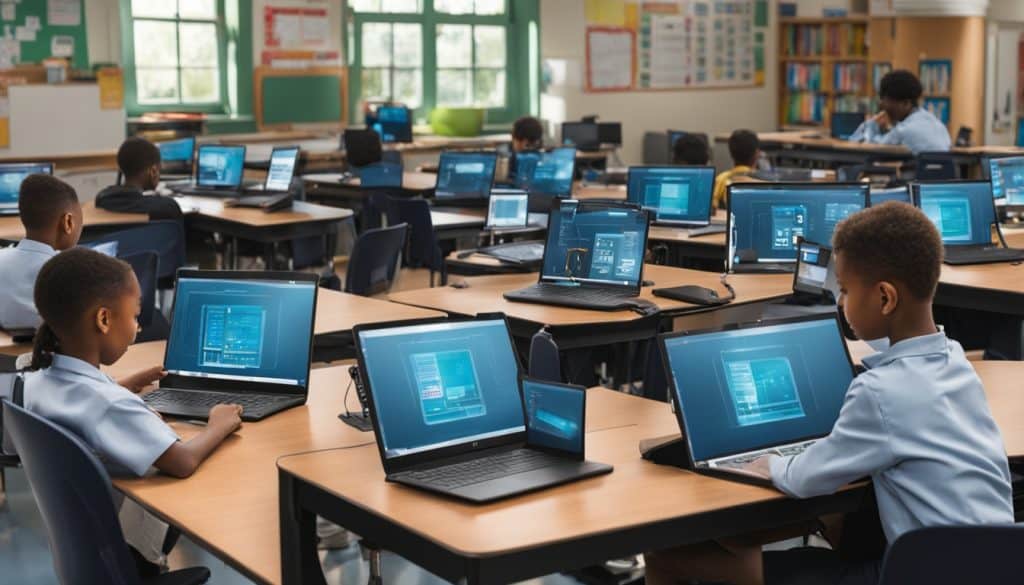
Acceptable Use Policies (AUPs)
Acceptable Use Policies (AUPs) set rules for using tech in schools. They tell students, staff, and visitors what they can and can’t do with tech and the internet. AUPs are important for keeping our computer systems safe.
Data Privacy and Security
Keeping student info private and safe on computers is super important. Schools need strong rules on how to handle this info correctly. These rules help stop unwanted access to student data, keeping everything secure.
Funding and Financial Contingencies
Finding the money for tech in schools is a big deal. Schools look for funds from many places, like government grants and donations. Having a backup money plan helps schools keep using tech, even when times are tough. Checking and adjusting how money is spent on tech is crucial.
So, AUPs, privacy rules, and smart money plans are key for tech in schools. They help schools run smoothly and keep info safe. They also make sure schools have the tech they need without breaking the bank.
The Role of Professional Development
Professional development is key for teachers in today’s digital learning world. It helps them improve their tech skills and grow professionally. Lifelong learning among educators also gets a big boost.
Getting students to work together can make learning more interesting and teach them to think deeply. But, some teachers struggle to use tech for this purpose. They might not have enough experience or they are unsure how to start. Modeling digital collaboration in training sessions can build their confidence. These sessions are designed with adult learning theories in mind, making digital teamwork a big focus.
In professional development, teachers like having options and working together. Solving real-life professional issues together can capture their interest. Activities that reflect what they can do in their classrooms are especially useful. By focusing on digital teamwork, teachers learn to use these strategies in their teaching.
The National Education Association believes that spending half of teachers’ time on professional development is a good idea. The Elementary and Secondary Education Act also supports this by setting aside 25% of funds for training. This shows how crucial ongoing training is for improving tech skills and professional growth.
Effective tech training should link to student learning and include hands-on use, says the North Central Regional Educational Laboratory. It should be continuous and supported by school leaders. The Michigan State Department of Education also has standards for training that cover different aspects.
To see if tech training works, schools look at how many hours teachers train, hours spent on tech topics, and if staff meet training goals. The same goes for administrative and support staff. This shows the value of thorough training for everyone at school.
Some think new teachers are good with tech because they use social media. But, being on social media doesn’t mean they can teach with technology. Schools also face resistance about using tech and screen time in education.
Lack of time and money for training is a big hurdle for using tech in schools. The 2024 National Educational Technology Plan calls professional development vital for overcoming the digital design divide. It talks about key activities for this and the main divides in K–12 education: access, use, and design.
For professional development to work, it’s crucial to know what teachers want, provide steady support, offer different ways to learn, and share success stories. A supportive setting that encourages working together and feedback is key for better tech use in schools.
Technology Integration Strategies by Grade Level
Using technology in schools depends on the age and learning stages of students. It’s important to match technology with the right grade to help kids learn better. From young kids to high schoolers, different tech strategies can make learning fun and improve results.
Elementary School
For little kids, the right tech can make learning basic skills exciting. Games and apps grab their attention and feed their curiosity. Since most kids learn best by seeing, colorful and interactive tools work great.
Some schools let kids bring their own gadgets, which boosts interest. Tools like tablets give quick quiz feedback, motivating kids to do better.
Middle School
Middle school tech helps kids learn on their own and work together. They start using research tools, growing their study habits and thinking skills. Kids get to choose their tech tools, making learning feel special.
Using games with points and rewards makes learning fun and effective. Adding more complex tech should be careful and guided.
High School
High school tech prepares students for future jobs and college. They use advanced tools for big projects and team work. With tech, learning shifts to being more creative and focused on the subject matter.
Checking if tech works can be done through tests and surveys. Videos in class help students remember more and get excited about learning.
When we pick the right tech for each grade, learning gets better for everyone. It leads to students who are more involved and succeed more in school.